Guide · Annotations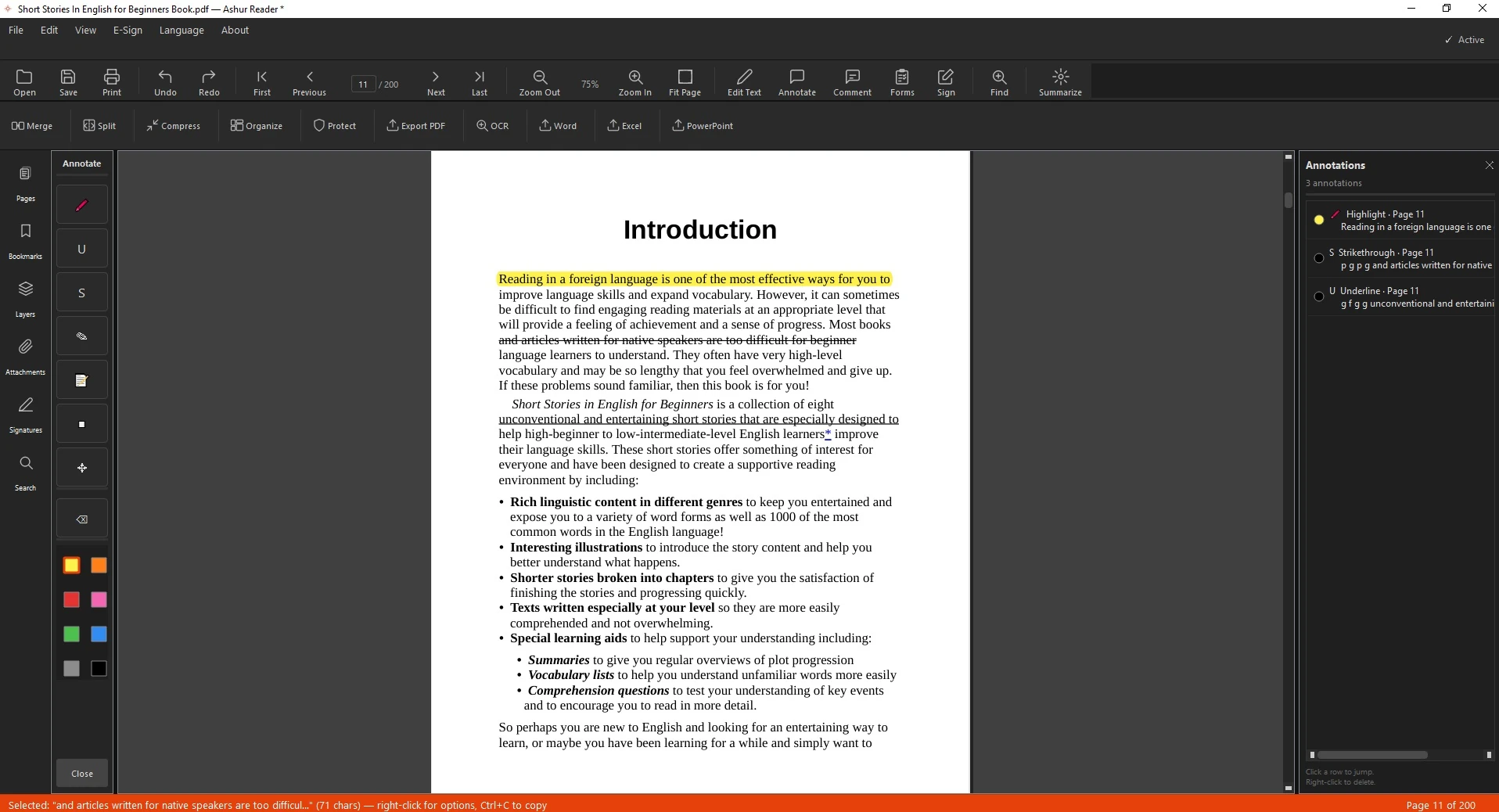
Marking up an English document
How to Annotate and Comment on a PDF
Reviewing a document? Highlight what matters, draw on the page, and leave comments — in English.
Mark up anything
Highlight, underline, strike through, draw, and add comments anywhere on the page.
How to annotate
- Open the PDF.
- Pick a markup tool — highlight, draw, or comment.
- Mark the page; type comments in any language.
- Save — your markup travels with the file.
See it in action
Related guides: Edit an English PDF · Sign a PDF
Mark up anything, in any language
Highlight, draw, and comment on PDFs — offline.
Download for Windows