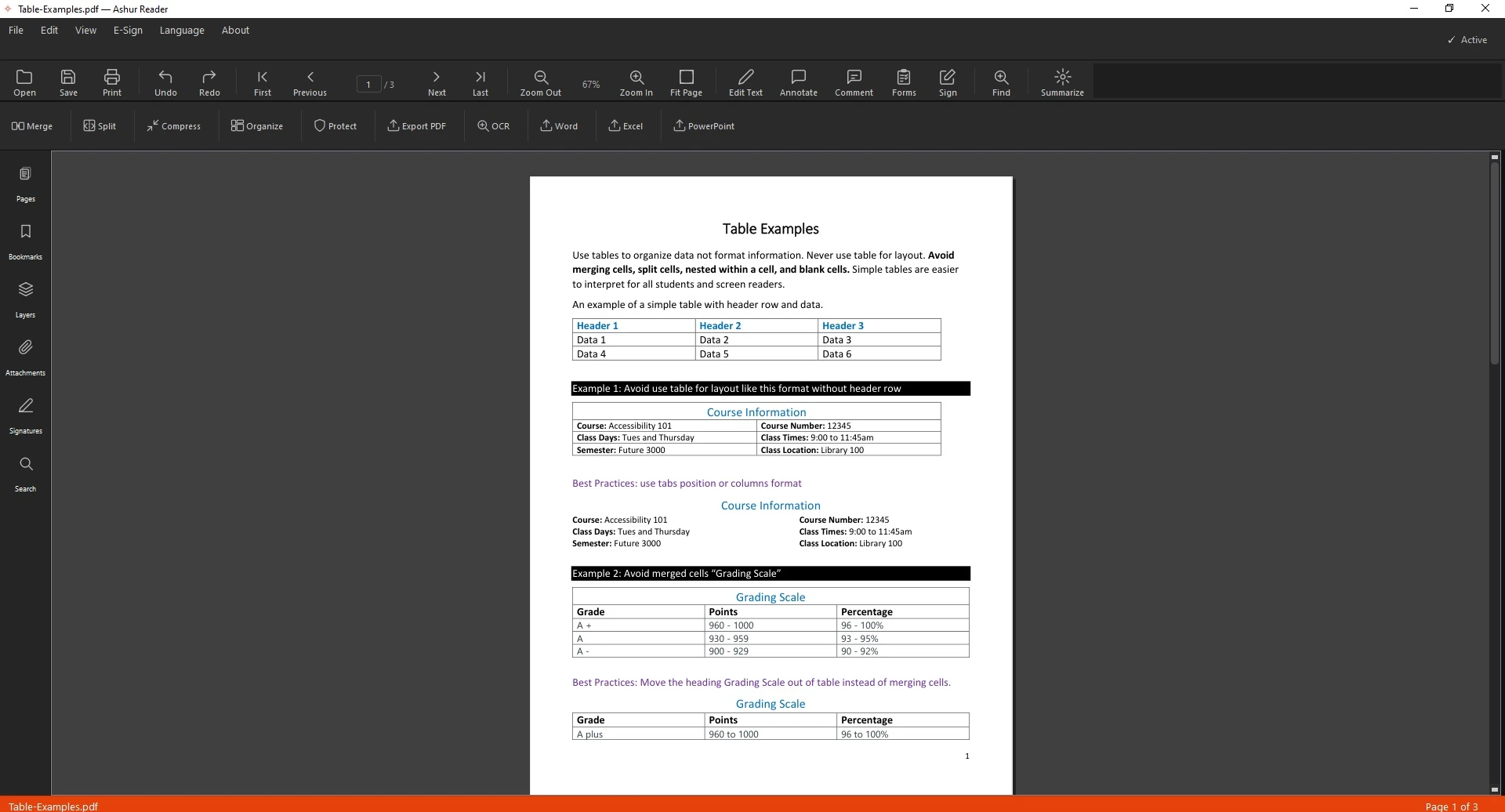
A table in a PDF is just lines and text — not real cells. AshurReader rebuilds it as a proper spreadsheet — or a real Word table — so every value lands where it belongs.
Why copy-paste fails
Copying a PDF table usually dumps everything into one column or scrambles the rows. A real export rebuilds the grid instead.
Export to Excel
Open the PDF that contains the table.
Choose export to Excel.
Pick the page range with the table.
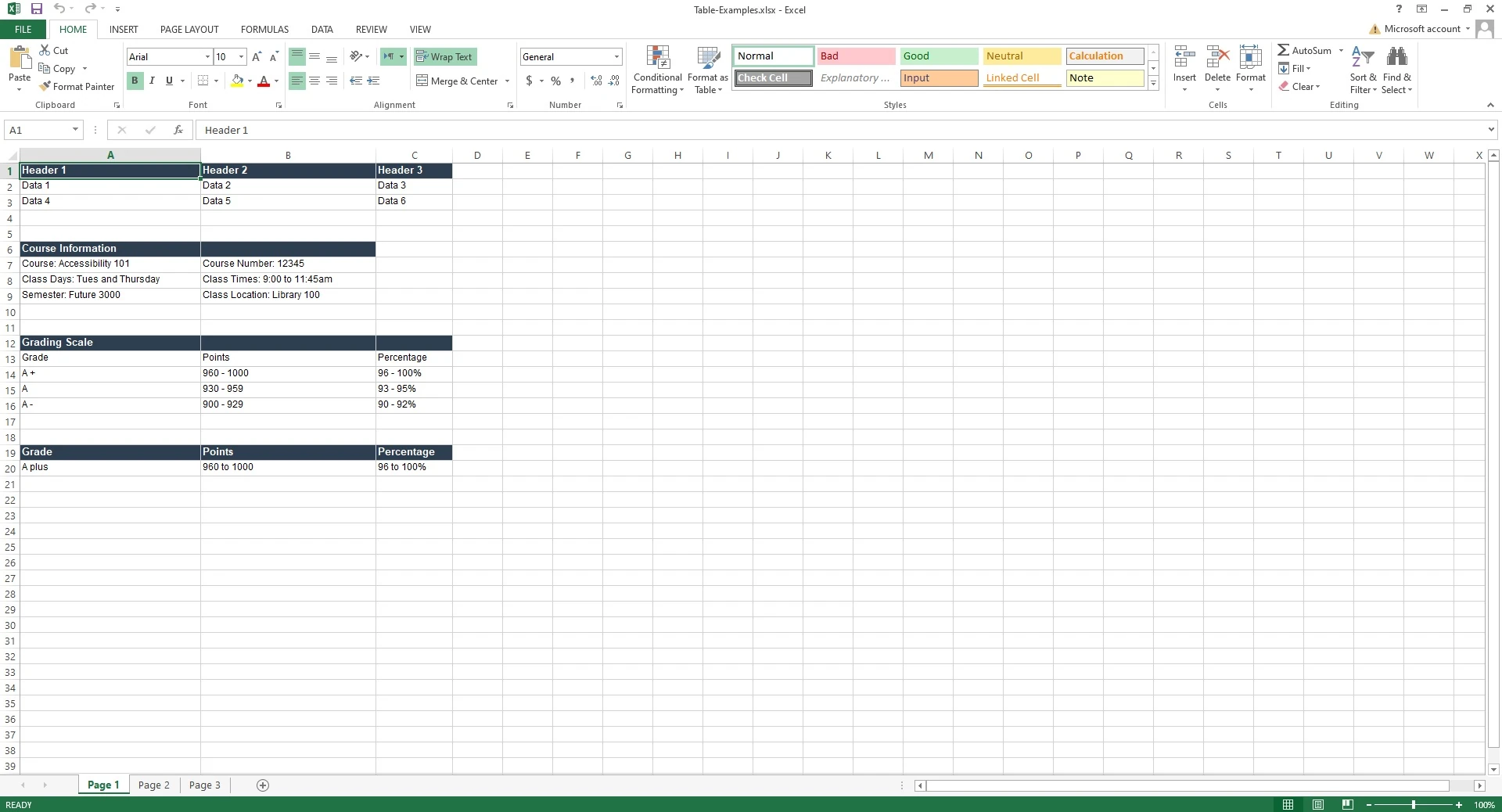
Export — each cell lands in its own spreadsheet cell.
Or export the same table to Word
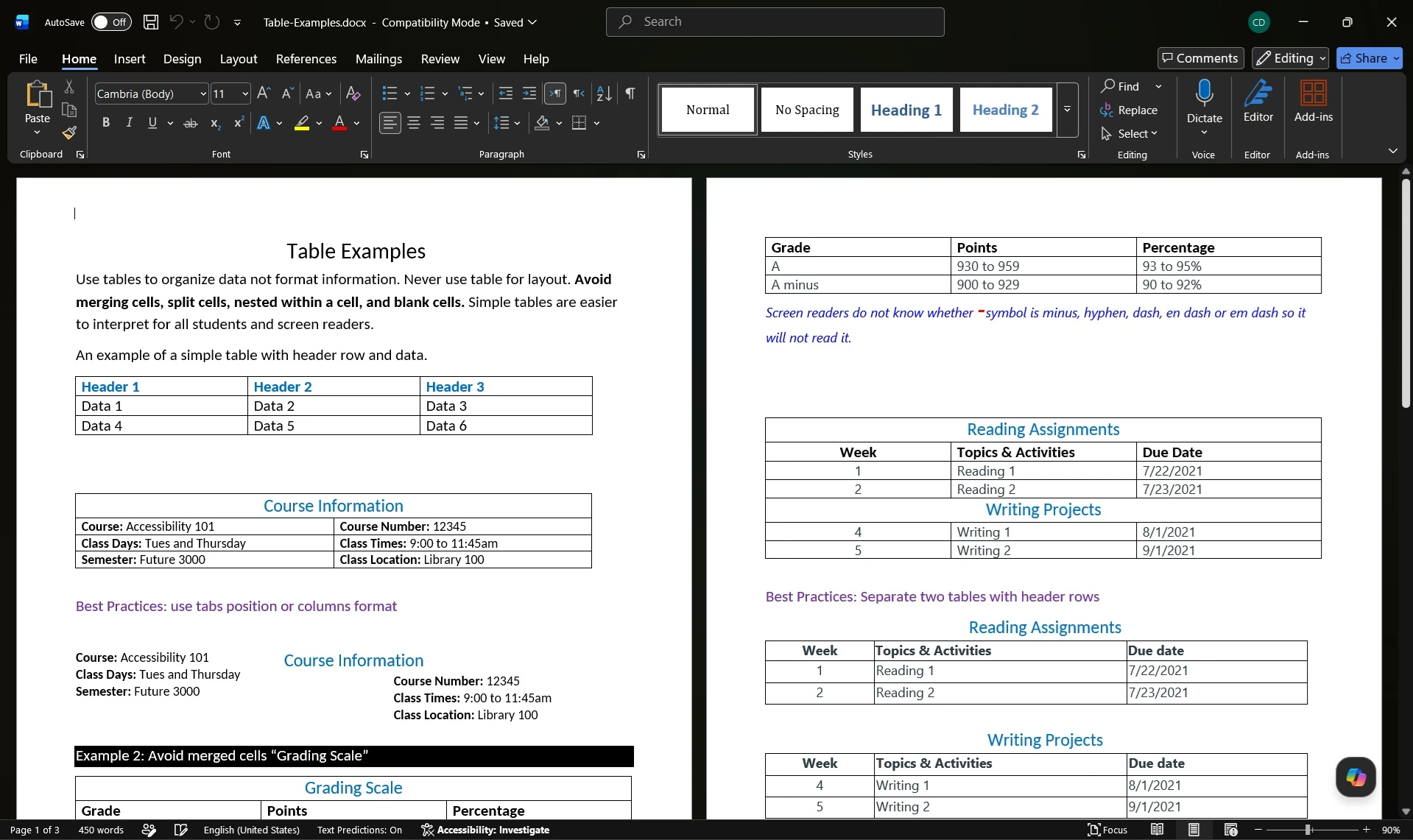
Prefer to keep working in a document? Export the table as an editable Word table instead — same structure and layout, ready to restyle.
See it in action
Before — an English table locked inside a PDFExcel result — every value in its own cellWord result — the same table, editable in Word