Guide · Search

How to Search Inside a PDF

Finding a word in a long PDF should be instant — unless the page is a scan. Here's how full-text search works in AshurReader, and what to do when a PDF won't search.

Fast full-text search

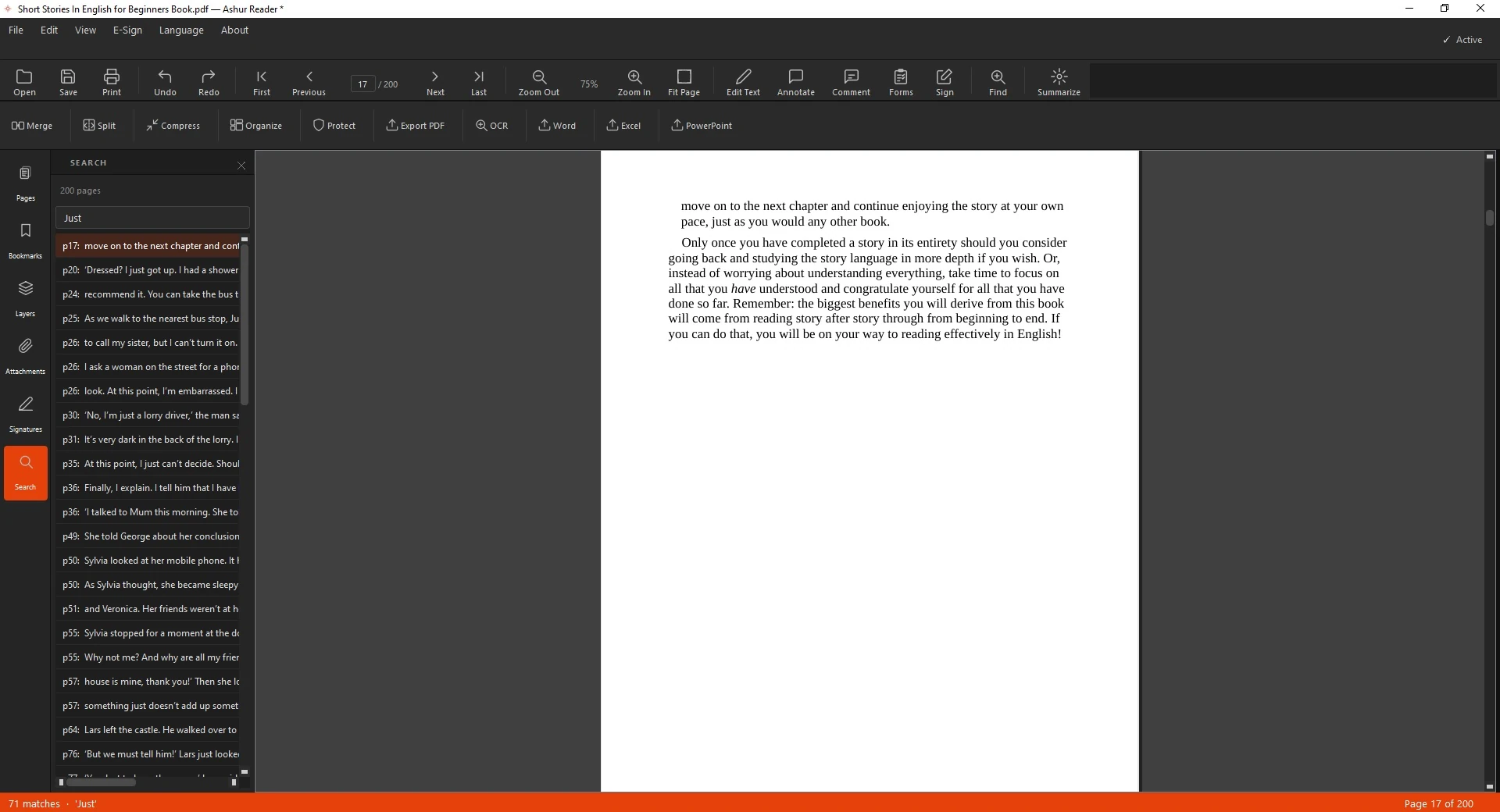
Search matches your term anywhere in the document and jumps straight to each result, highlighted on the page. If a PDF won't search at all, it's usually a scan — run OCR first to make it searchable.
How to search

  1. Open the PDF.
  2. Open search and type your term.
  3. Jump between matches highlighted on the page.

See it in action

Searching inside an English document
Searching inside a document

Related guides: Run OCR on a scan · Edit an English PDF

Find anything, fast

Fast full-text search inside your PDFs — offline.

Download for Windows
Try free for 3 days